

Tired of spending hours pushing sliders? Modern AI photo editing tools have changed the game.
They don’t just wait for instructions; they analyze your image—recognizing faces, skies, and objects—and apply smart adjustments in seconds.
Whether you’re a professional photographer, a marketer, or a content creator, these tools remove the grunt work so you can focus on the creative part. Here are the top 10 tools right now, broken down by what they do best.
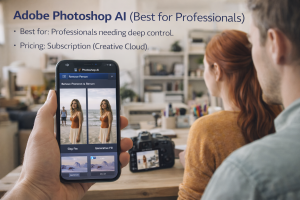
- Adobe Photoshop AI (Best for Professionals)
The industry standard now includes powerful AI like Generative Fill and smart object removal. It’s best for complex commercial retouching and composites where precision is non-negotiable.
- Best for: Professionals needing deep control.
- Pricing: Subscription (Creative Cloud).
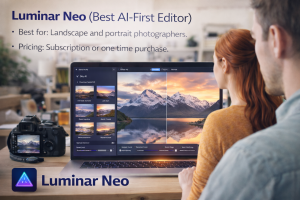
- Luminar Neo (Best AI-First Editor)
This tool leans heavily into AI with features like one-click sky replacement and distraction removal. It simplifies complex edits into visual sliders, perfect for photographers who want strong results fast.
- Best for: Landscape and portrait photographers.
- Pricing: Subscription or one-time purchase.
- Google Gemini (Best for Prompt-Driven Editing)
This tool allows for experimental, text-guided changes. You can select an area and describe a modification, making it great for stylized visuals and fast creative variations.
- Best for: Concept-driven marketing graphics.
- Pricing: Part of a broader AI platform bundle.

- Canva (Best for Social & Marketing)
Canva integrates AI editing directly into its design workflow. Its background remover and magic resize tools are perfect for teams needing to push out social posts and ads quickly.
- Best for: Social media managers and marketers.
- Pricing: Free plan; Pro plan unlocks advanced tools.

- Pixlr (Top Browser-Based Editor)
A go-to for quick, lightweight edits directly in your browser. It offers one-click background removal and AI retouching without needing to install heavy software.
- Best for: Fast, simple web-based edits.
- Pricing: Free version with ads; paid plans for full access.

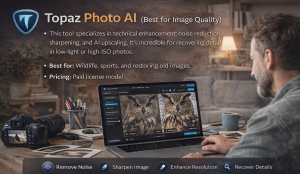
- Topaz Photo AI (Best for Image Quality)
This tool specializes in technical enhancement: noise reduction, sharpening, and AI upscaling. It’s incredible for recovering detail in low-light or high-ISO photos.
- Best for: Wildlife, sports, and restoring old images.
- Pricing: Paid license model.
- Fotor (Best for One-Click Edits)
Built for speed and simplicity. Its auto-enhance features quickly fix lighting and color, making it ideal when “good and fast” is the priority.
- Best for: Quick touch-ups and beginners.
- Pricing: Free version; Pro subscription.

- Runway ML (Best for Generative Video & Images)
A favorite for creatives pushing boundaries. It offers powerful tools for generative video editing, inpainting, and extending images, often used in film and advanced content creation.
- Best for: Experimental and video projects.
- Pricing: Free tier; paid plans for more features.

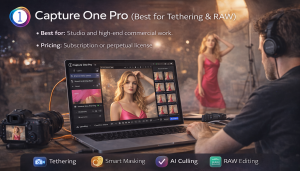
- Capture One Pro (Best for Tethering & RAW)
While a professional powerhouse for RAW processing, its latest AI features include smart masking and culling, speeding up workflows for studio photographers shooting directly into the software.
- Best for: Studio and high-end commercial work.
- Pricing: Subscription or perpetual license.
- Clipdrop by Stability AI (Best for API & Automation)
This tool offers a suite of AI editing tools (background removal, upscaling, relighting) that can be used via an API, making it perfect for developers and businesses wanting to automate image processing.
- Best for: Automating e-commerce or bulk image editing.
- Pricing: Pay-as-you-go API pricing.

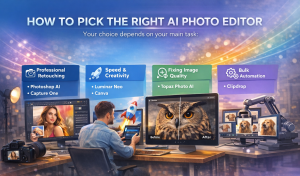
How to Pick the Right Tool
Your choice depends on your main task:
- For Professional Retouching: Start with Photoshop AI or Capture One.
- For Speed & Creativity: Luminar Neo or Canva are excellent.
- For Fixing Image Quality: Use Topaz Photo AI.
- For Bulk Automation: Explore Clipdrop.
Quick Tip: AI tools get you to an 80% finish line fast. The remaining 20%—your creative direction and final polish—is still where your unique skill comes in.